Most nonprofit website projects fail quietly. The site launches, it looks better than the old one, and eighteen months later the team is back to filing tickets for a headline change while donations sit flat. The difference between that outcome and a good one is almost always what the organization required before signing, not what the agency promised.
What should a nonprofit look for in a website developer?
Five things, in priority order: a donation flow they can prove converts, accessibility built in rather than bolted on, a CMS your staff can edit without a developer, a documented maintenance plan, and pricing that includes migration and training. Anything else is preference. Those five decide whether the site earns its cost.
What should a nonprofit website cost?
| Project type | Typical range | What you get |
|---|---|---|
| Template refresh | $6k to $15k | New theme, light content cleanup, donation form integration |
| Custom small site (15 to 40 pages) | $18k to $45k | Custom design, accessible components, CMS training, migration |
| Program-heavy site (40 to 150 pages) | $45k to $95k | Content modeling, CRM integration, multi-step giving, reporting |
| Platform rebuild with integrations | $95k to $180k | Drupal or WordPress build, SSO, event system, donor data sync |
| Ongoing care | $500 to $2,500/mo | Updates, backups, uptime, accessibility monitoring, small edits |
If a quote is far below these ranges, look for what was removed. Usually it is migration, accessibility testing, or training, which are exactly the things that determine whether the site survives.
Which questions separate good vendors from bad ones?
Ask these in the first call and note who gets uncomfortable:
- Show me two nonprofit donation flows you built and their conversion rates before and after.
- What WCAG level do you contractually commit to, and who tests it manually?
- Who owns the code and the hosting account when we part ways?
- What happens to the site if our main contact at your shop leaves?
- What is your average response time on a production issue, in writing?
- How many hours of staff training are included and who delivers them?
- What is the total five-year cost including hosting, licenses, and care?
What makes a nonprofit donation page actually work?
A donation page converts on clarity, not design flourishes. The pattern that performs:
- One page, no more than eight fields, guest giving on by default
- Suggested amounts tied to concrete outcomes, not round numbers
- Monthly giving preselected or offered as a single prominent toggle
- Apple Pay, Google Pay, and card on the same screen
- Under 2 seconds to interactive on mobile
- Receipt email that arrives within 60 seconds and reads like a human wrote it
Every extra required field on a donation form costs conversions. Ask for the address only when you legally need it.
For the deeper breakdown, see the complete guide to nonprofit donation friction.
How important is accessibility for nonprofit websites?
It is both a legal exposure and a mission issue. Many nonprofits receive federal or state funds, which pulls Section 508 alignment into scope, and ADA-related web complaints continue to rise year over year. Require WCAG 2.2 AA in the contract, ask for the audit method in writing, and budget for one manual test by someone using a screen reader. Automated scanning alone misses most of the issues that actually block a donor.
Which CMS should a nonprofit use?
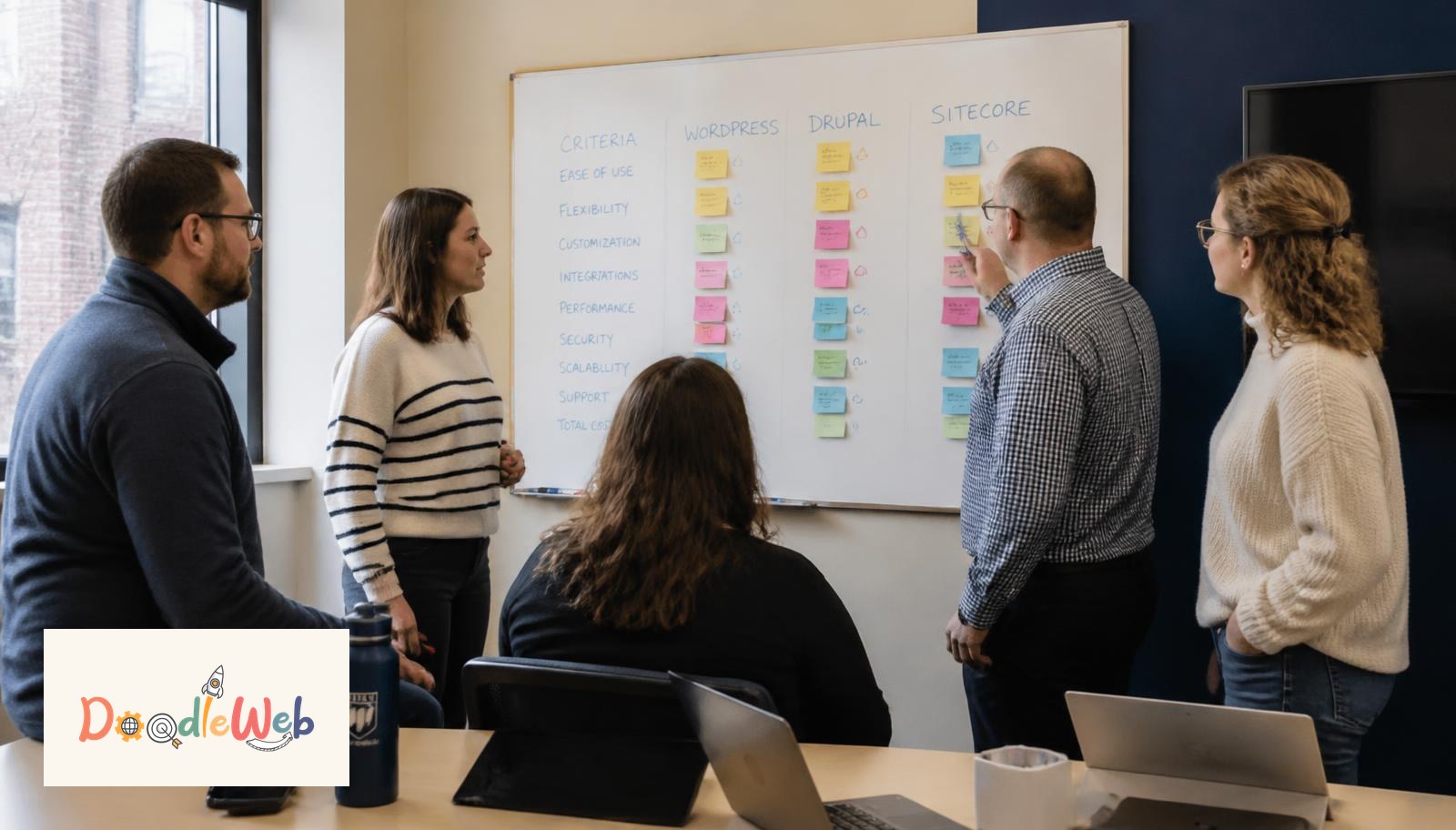
| Platform | Fits when | Watch out for |
|---|---|---|
| WordPress | Small team, frequent news and story publishing | Plugin sprawl; require a plugin budget and owner |
| Drupal | Complex programs, strict accessibility, multiple sites | Needs a real maintenance retainer |
| Webflow | Marketing-led site, few integrations, design control | Limits on complex data and custom back-end logic |
| Squarespace or Wix | Under ten pages, no integrations, volunteer-run | Hard ceiling once you need donor data flows |
Most nonprofits under $10M in revenue are well served by a disciplined WordPress build. Drupal earns its keep once you have multiple departments, strict compliance requirements, or complex program data.
What should be in the contract?
- Named WCAG standard plus remediation window
- Full ownership of code, content, design files, and hosting accounts
- Migration scope stated in page counts, not vague phrasing
- Training hours and recorded sessions
- Support SLA with response times by severity
- Post-launch warranty period, typically 30 to 90 days
- An exit clause covering a clean handoff
How do we know the new site is working?
Agree on four numbers before the build and measure them monthly after launch: donation conversion rate, average gift, mobile bounce on the giving page, and time for a staff member to publish a new program page unaided. A pretty site that does not move those numbers has not done its job.
What are the warning signs during a build?
Scope changes discussed verbally, no staging environment, no accessibility testing before design signoff, a single point of contact who disappears for a week, and content migration left to the last two weeks. Any one is recoverable. Three together usually means a late, over-budget launch.
Where to go next
Write down your five must-haves, get three quotes on the same written scope, and compare them line by line rather than on total price.
Related reading: 8 things nonprofits need in website development, questions to ask a nonprofit web agency, and best nonprofit website development agencies compared. Want a read on your current site? Request a free website audit or contact us.
Director of Growth · Seattle, WA
David works with nonprofit and higher-ed marketing teams on conversion, donation flows, and search visibility. He spends most of his week in analytics, donation funnels, and vendor scorecards.