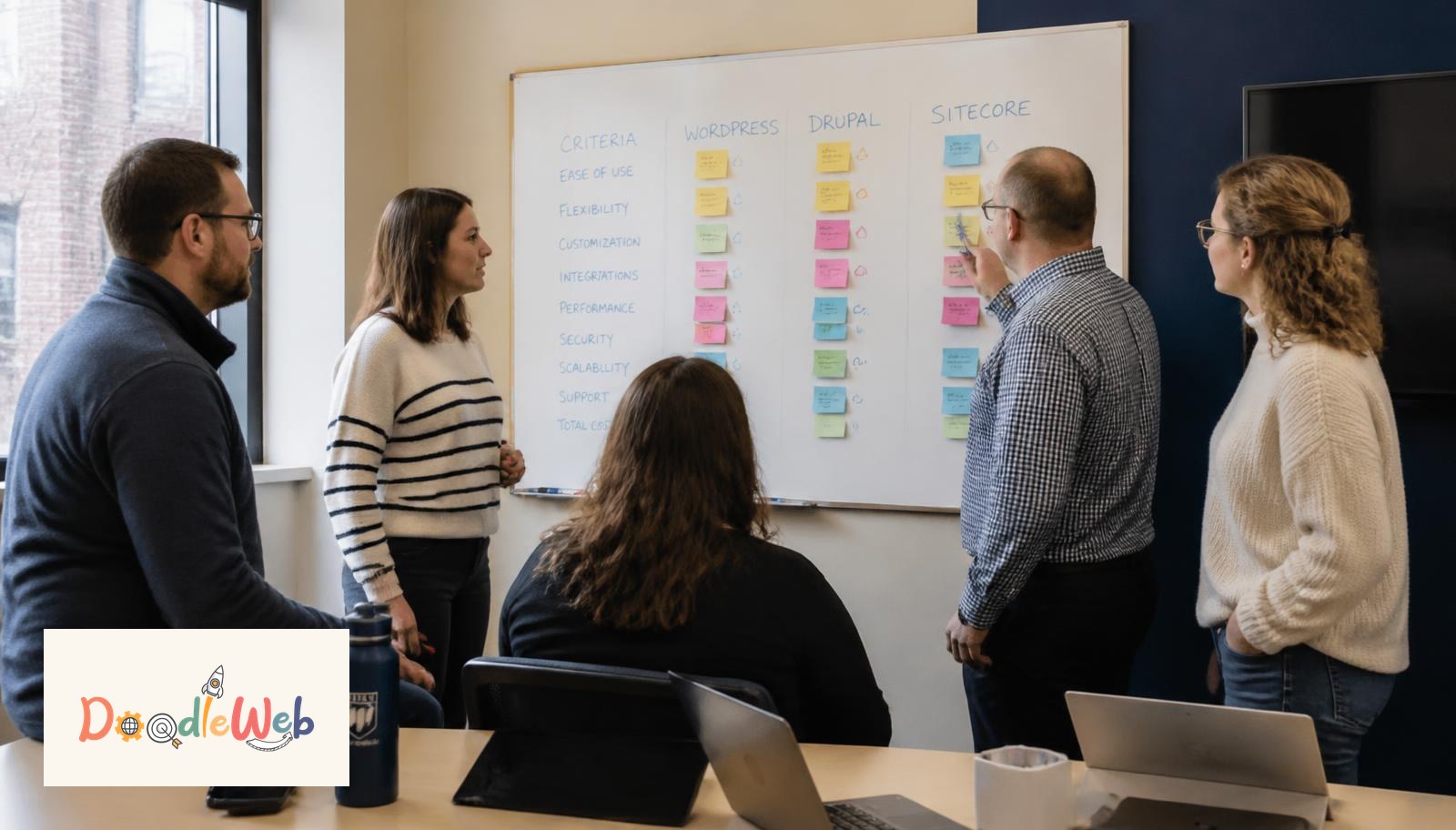
Choosing a CMS for a college or university is not a software decision. It is a decision about who can publish, how fast pages load, how accessible the site stays, and how much the platform costs to run five years from now. This guide covers the shortlist that actually survives procurement in 2026, real budget ranges, and the scoring model we use with .edu clients.
What is the best CMS for higher education in 2026?
For most institutions the shortlist is Drupal 11, WordPress with a governed multisite, or a headless setup pairing one of those with a React front end. Drupal wins when you have many departments, strict accessibility requirements, and complex content models. WordPress wins when publishing speed and editor comfort matter more than deep structure. Headless wins when you already run a design system and have in-house developers to keep it alive.
How do the main higher-ed CMS options compare?
| Platform | Best for | Editor learning curve | Accessibility out of the box | Typical 3-year total cost |
|---|---|---|---|---|
| Drupal 11 | Large multi-department .edu, complex content types, strict WCAG governance | Moderate to steep | Strongest (core is audited against WCAG 2.1 AA) | $180k to $520k |
| WordPress multisite | Colleges and departments that publish news and program pages daily | Low | Good with a disciplined theme; plugins are the risk | $95k to $280k |
| Headless (Drupal or WP + React) | Institutions with an in-house dev team and a shared design system | Low for editors, high for the org | Depends entirely on the front-end build | $240k to $700k |
| Proprietary .edu SaaS | Small colleges with no technical staff | Low | Vendor-dependent, verify with a VPAT | $120k to $300k, mostly license |
Those ranges include implementation, migration, training, and three years of hosting and maintenance. They are the ranges we see in Pacific Northwest RFPs, not list prices.
What does a higher-ed CMS project actually cost?
| Line item | Small college (under 500 pages) | Mid-size university (500 to 5,000) | Large system (5,000+) |
|---|---|---|---|
| Discovery and IA | $8k to $18k | $20k to $45k | $45k to $90k |
| Design system | $15k to $30k | $35k to $70k | $70k to $140k |
| Build and integrations | $30k to $60k | $70k to $180k | $180k to $400k |
| Content migration | $6k to $15k | $20k to $60k | $60k to $150k |
| Training and governance | $4k to $9k | $10k to $22k | $22k to $50k |
| Annual hosting and care | $9k to $18k/yr | $18k to $42k/yr | $42k to $120k/yr |
The two lines institutions underfund most often are migration and governance, and those are the two that decide whether the site is still good in year three.
Which integrations decide the platform?
Before anyone debates Drupal against WordPress, list the systems the site must touch. Typical .edu integration set:
- SIS (Banner, Colleague, PeopleSoft) for program and course data
- CRM (Slate, Salesforce Education Cloud, HubSpot) for RFI and application flows
- SSO through Shibboleth, Okta, or Entra ID
- Event and academic calendars, often Localist or 25Live
- Digital asset management and a media library policy
- Accessibility monitoring, commonly Siteimprove or Pope Tech
If a platform makes any of the top three awkward, it is off the list regardless of how nice the editing experience looks in a demo.
How should we score vendors and platforms?
Use a weighted scorecard and fill it in before the demos, not after.
| Criterion | Weight | What proof looks like |
|---|---|---|
| Accessibility record | 20% | Current VPAT, audited templates, remediation SLA |
| Editorial workflow | 20% | Live editing test with three real department editors |
| Performance | 15% | Core Web Vitals field data from three comparable live sites |
| Integration fit | 15% | Working reference for your SIS and CRM combination |
| Total cost over 5 years | 15% | License plus hosting plus expected dev hours |
| Governance model | 10% | Named roles, template limits, review workflow |
| Exit path | 5% | Clean content export, no proprietary lock-in |
The demo always looks good. Insist on a hands-on editing sandbox with your own content before you sign anything.
How long does a higher-ed CMS migration take?
Twelve to twenty weeks for a small college, six to nine months for a mid-size university, and twelve to eighteen months for a large multi-campus system. The variable is rarely engineering. It is content decisions: who owns each of the 4,000 pages, which ones get archived, and who signs off.
A realistic sequence:
- Weeks 1 to 4: discovery, content inventory, integration mapping
- Weeks 3 to 8: information architecture and design system
- Weeks 6 to 16: build, component library, integration work
- Weeks 12 to 20: migration, redirect mapping, editor training
- Weeks 18 to 22: accessibility audit, performance tuning, soft launch
What accessibility standard should we require?
WCAG 2.2 AA as the contractual baseline, with Section 508 alignment for federally funded programs. Put the standard in the contract with a remediation window, require an automated scan in CI, and budget for a manual audit before launch. Automated tooling catches roughly a third of real issues, so a manual pass by a tester using assistive technology is not optional.
How do we keep the site fast after launch?
Set page-weight and Core Web Vitals budgets and enforce them in the build pipeline. Practical targets for an .edu:
- LCP under 2.5 seconds on 4G for the top 20 trafficked pages
- Total page weight under 1.5MB on program pages
- No autoplay hero video, ever
- Third-party scripts reviewed quarterly with an owner named for each
- Hero images WebP or AVIF, under 300KB
For the full breakdown of how .edu sites decay, read why university websites get slow and hard to manage.
Should a university go headless?
Only if three things are true: you have at least two in-house front-end developers, you already maintain a design system, and you have a measurable reason such as multiple apps consuming the same content. Headless moves complexity from the CMS to your team. When those conditions do not hold, a well-governed Drupal or WordPress build will serve editors better and cost less to keep alive.
What does governance look like in practice?
Name an owner for the platform, cap the number of page templates at five to seven, give departments components rather than freeform HTML, and run a quarterly content review with an archive quota. Institutions that assign the platform to a named role sustain quality. Institutions that make it everyone's job watch the site drift back within a year.
Where to go next
Start with a content inventory and an honest performance measurement on your ten most trafficked pages. Those two artifacts change the conversation with leadership faster than any platform deck.
Related reading: what universities need in website development, WordPress to Drupal higher-ed case study, and best higher ed web development services compared. If you want a second opinion on a shortlist, talk to our team or request a free website audit.
Web Strategy Lead · Seattle, WA
Nick leads discovery and platform selection at DoodleWeb. He has run CMS evaluations and rebuild roadmaps for universities, health systems, and mission-driven organizations across the Puget Sound.