Why some agencies build websites you cannot edit, what a CMS should let your team change, and the question that exposes lock in before you sign.
Read the transcript
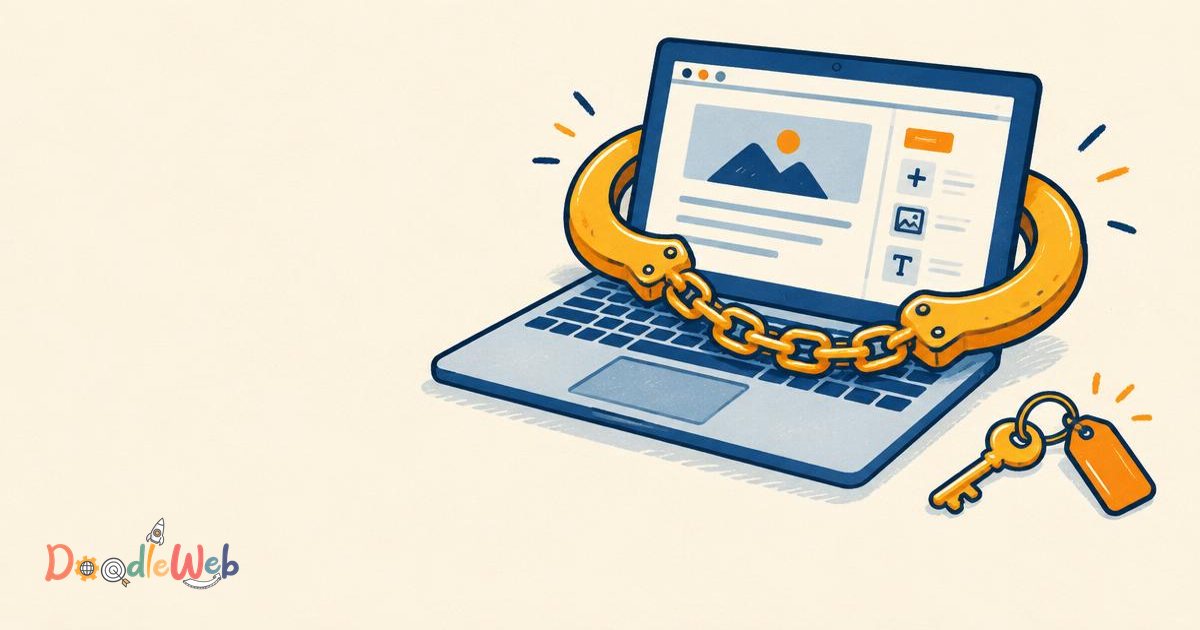
Recently a prospect told me she had been handcuffed to an agency before. Her word for it was a nightmare. You may know the setup. Every small change to your website goes through the agency. A new line of text, a swapped logo, a fixed link. Each one means a request, a wait and a bill. I've seen agencies build sites that way on purpose. We don't. A CMS is a content management system, so you should be able to manage your own content. When we hand over a site, everything you see on the page can be edited from the back end. Text, images, logos, footer links. We also record training videos, so anyone on your team can learn it. Before you sign with any agency, ask one question. After launch, what will I still need you for? If the answer is everything, keep looking.
A prospect recently told us she had been handcuffed to an agency before. Her word for it was a nightmare. The site looked fine. The problem was that she could not change a single sentence on it without asking someone else, waiting, and paying for it.
What are golden handcuffs with a web agency?
Golden handcuffs are a setup where every small change to your website has to go through the agency that built it. A new line of text, a swapped logo, a fixed link: each one becomes a request, a wait and a bill. The site is yours on paper, but in practice you rent access to your own content.
Some of it is accidental. A rushed build, a page builder nobody documented, or a developer who typed text straight into the code because it was faster. Some of it is deliberate. We have seen agencies build sites that way on purpose, because a site the client cannot edit keeps billing long after launch.
How do you know if you are locked in?
You are probably locked in if three or more of these sound familiar:
- You email the agency to change a phone number, a staff photo or a footer link.
- Parts of a page cannot be found anywhere in the CMS, only in code.
- You do not have an administrator login, or your login hides most of the menu.
- The domain, hosting or analytics account is registered to the agency, not to your organization.
- Nobody has shown your team how to publish a page, and there is no written or recorded guide.
- Small content edits show up as line items on a monthly invoice.
None of these is a disaster on its own. Together they mean the site controls you instead of the other way round.
What should a CMS let you change yourself?
CMS stands for content management system, so you should be able to manage your own content. A well built site on WordPress, Drupal, Webflow, Shopify or HubSpot lets a nontechnical editor change what visitors see without opening a code editor or filing a ticket.
That does not mean you never need a developer. New features, integrations, security updates, performance work and redesigns are real development work. The line is simple: content is yours to change, and code is where a developer earns their fee. Our CMS development work is built around that line.
Locked in site vs a site you own
| Task | Locked in site | Site you own |
|---|---|---|
| Change a headline or paragraph | Ticket to the agency, then wait | Edit in the CMS and publish |
| Swap a logo or image | Developer change, often billed | Upload in the media library |
| Fix or add a footer link | Typed into code, needs a developer | Editable menu or footer block |
| Add a page from existing layouts | Quoted as a project | Pick a template and add content |
| Administrator access | Agency only, or a limited editor role | Your own administrator account |
| Domain, hosting and analytics | Registered to the agency | In accounts your organization controls |
| Training | None, or "just send it to us" | Recorded videos and a written guide |
| Leaving the agency | Painful, sometimes a rebuild | Hand over logins and move on |
How DoodleWeb hands over a site
When we hand over a site, everything you see on the page can be edited from the back end. Text, images, logos, footer links. If a visitor can see it, an editor on your team can change it.
We also record training videos so anyone on your team can learn it, including the person you hire next year who was not in the launch meeting. The accounts sit with you: domain, hosting, analytics and the CMS administrator login.
If you want us to keep looking after the site afterwards, our maintenance plans cover updates, security monitoring and backups. That is a choice you make, not a condition of getting your own content back.
The one question to ask before you sign with any agency
Ask this: "After launch, what will I still need you for?"
A good answer is short and specific: software and security updates, backups, new features you might want later, maybe a redesign in a few years. If the answer is everything, keep looking.
Then ask these five follow ups:
- Which parts of the site will my team be able to edit without you?
- Will I have my own administrator account on day one?
- Whose name will the domain, hosting and analytics accounts be in?
- Do you provide training videos or written documentation?
- If we part ways, what exactly do you hand over, and how fast?
| Agency answer | What it usually means |
|---|---|
| "Updates, security and anything new you want to build" | Healthy. You own the content, they own the hard parts. |
| "Just send us your changes, it's easier" | Convenient now, dependent later. Ask what you could do yourself. |
| "Our platform is proprietary" | Check whether you can export your content and move hosts. |
| "Everything" | Keep looking. |
Nonprofits can find a longer list in questions to ask a nonprofit web agency.
Already locked in? How to get out
- Collect your accounts. Ask in writing for administrator access to the CMS, the domain registrar, hosting, analytics and any form or email tools. Check your contract for ownership terms.
- Take a full backup. Files and database, stored somewhere your organization controls.
- Map what you cannot edit. Walk through every page template and note anything you could not change yourself.
- Decide whether to fix or rebuild. Often the site can be made editable by turning fixed sections into proper CMS fields. Sometimes a platform migration costs less over the next few years.
- Train your team. Ownership only counts when people know how to use it.
If you want a second opinion, a free website audit shows which parts of your site you control today.
Frequently asked questions
What does golden handcuffs mean with a web agency? It describes a website your organization pays for but cannot change without the agency. Every edit to text, images, logos or links becomes a request, a wait and a bill, so you stay dependent on the agency long after launch.
Should I be able to edit my own website? Yes. A content management system exists so you can manage your own content. Text, images, logos, menus and footer links should all be editable by your team. Developers are still needed for new features, integrations, security and performance.
Who should own my website domain and hosting? Your organization should. Register the domain, hosting, analytics and CMS administrator account in your own name and give the agency access, not the other way round.
Is it normal to pay an agency for small text changes? It is common, but it should not be necessary. If small content edits keep appearing on invoices, the site was probably built without editable fields for that content.
How do I switch web agencies without losing my website? Request administrator access to every account, take a full backup of files and database, document what cannot be edited, then brief the new agency. With accounts in your name, switching is a handover rather than a rebuild.
What should I ask a web agency before signing? Ask what you will still need them for after launch. If the answer is everything, keep looking. Then confirm administrator access, account ownership, training and what happens if you part ways.
Where to go next
Watch the short video at the top of this article, then read what nonprofits should look for in website development. Or book a 30 minute call and ask us the question directly. We would rather you hold us to it.

Founder & Lead Strategist · Seattle, WA
Chandan Sharma co-founded DoodleWeb in Seattle and leads its AI search visibility work, including the SiteSonar platform.
Reviewed by Kamal Sudha