
Most service business owners in King County treat their Google Business Profile photos as an afterthought. They set up the profile, upload a generic vector logo, add a five-year-old headshot taken inside an office with yellow fluorescent lighting, and wait for phone calls.
That approach leaves revenue on the table. In competitive regional markets like Seattle, Bellevue, and Kirkland, visual evidence often tips the balance before a prospect ever visits your website.
When a homeowner in Phinney Ridge has a burst pipe, or a commercial landlord in Pioneer Square needs seismic retrofitting, they scan the map pack quickly. The business showing crisp, recognizable local work gets the first call. Stock imagery gets skipped.
Why do photos influence your local pack rank?
Google uses imagery as a direct proxy for operational legitimacy. An active profile with steady photo uploads signals that your crew is in the field, taking jobs, and serving clients across specific neighborhoods.
Engagement metrics also play an indirect role. Profiles with high-quality, relevant images see significantly higher click-through rates and direction requests. When your listing consistently wins the click over the two competitors next to you, Google rewards that relevance.
There is also the matter of machine vision. Google Cloud Vision AI scans your uploads. It labels elements, reads text on the side of your work van, identifies tools, and verifies geographic context. A high-resolution photo of a ductless heat pump installation outside a classic Ballard craftsman tells Google far more about your service area than a sterile stock render.
What types of photos should Seattle service companies post?
A complete photo library shows your equipment, your people, and the actual conditions you work in. We advise our Seattle clients to build a library across four distinct buckets.
- Real team members on real job sites: Skip the corporate stock shots. Photograph your technicians in clean branded gear working in recognizable Puget Sound settings, whether that is a muddy crawl space in West Seattle or a rooftop in South Lake Union.
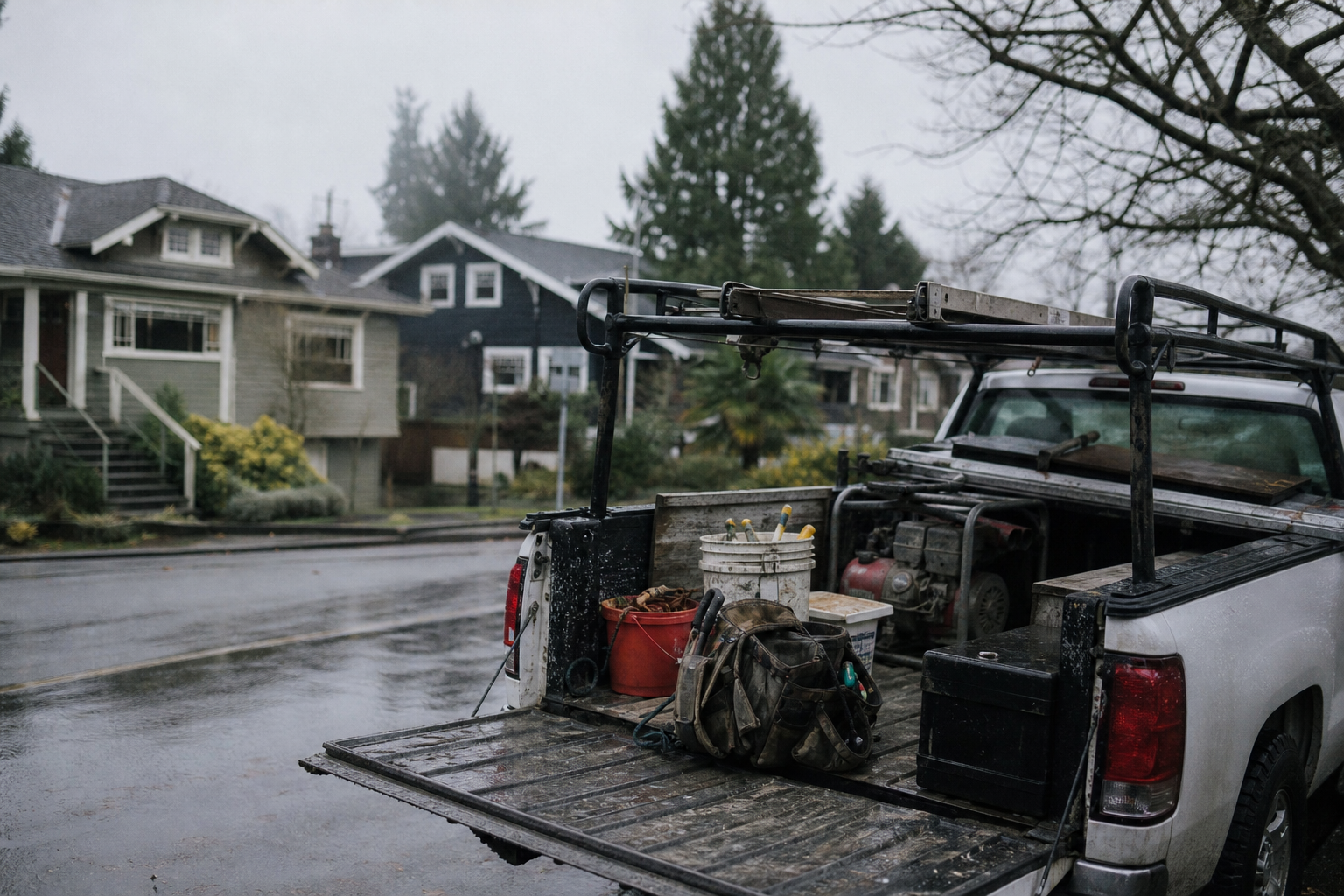
- Service vehicles and physical assets: Park your branded van on a recognizable residential street or outside a commercial job in Redmond. Vehicle wraps act as mobile billboards in real life, and Google Vision AI easily parses your phone number and business name from the side panel.
- High-contrast before-and-after sets: If you do tree service, painting, waterproofing, or remodeling, post side-by-side sets. Show the water damage in an old Capitol Hill basement alongside the finished drainage trench.
- Equipment suited to the Pacific Northwest: If your work deals with rain, moss, steep slopes, or maritime air, document the gear you use. Show the commercial pumps, moisture meters, or marine-grade fasteners. It demonstrates technical readiness.
Real work looks like real work. It has rain droplets on the equipment, cloudy gray skies in the background, and crew members wearing waterproof boots on wet cedar decks.
How should you format and upload these assets?
Do not overthink the camera gear. Modern smartphones capture more than enough resolution and dynamic range for map listings. The operational discipline matters more than the sensor size.
- Keep the aspect ratio practical: Upload square (1:1) or horizontal (4:3) images. Google crops heavily on mobile devices, and vertical vertical reels often lose their focal points in search results.
- Leave metadata intact: When your technicians snap photos on an iPhone with location services turned on, the image file preserves raw latitude and longitude data. While Google strips EXIF data upon public display, internal scrapers read that geographic information at the moment of upload.
- Name your files before uploading: Replace generic strings like IMG_4920.jpg with descriptive names. Use descriptive formats like sewer-line-repair-queen-anne-seattle.jpg to give search crawlers immediate contextual clues.
- Upload weekly rather than in bulk: Dumping 150 photos in January and disappearing until December looks like automated spam. Upload three to five genuine photos every Friday afternoon. Consistency proves continuous business operation.
What mistakes kill your listing's conversion rate?
The most common error we see during local SEO audits is reliance on digital mockups. If you run a custom carpentry business, do not upload 3D CAD models. Upload the sawdust, the clamps, and the finished walnut installation in an Eastside living room.
Another major mistake is uploading photos with heavy text overlays, promotional banners, or coupon codes. Google frequently flags or suppresses images with more than twenty percent text coverage because they violate promotional guidelines. Keep your photos clean and let your reviews and business descriptions handle the promotion.
Finally, monitor user-generated photos closely. Customers frequently upload blurry, unflattering, or completely irrelevant images to your profile. Check your dashboard once a month. You cannot delete customer photos directly, but you can flag guideline violations to Google support to have them scrubbed.
What is the next step for your profile?
If your local rankings have plateaued, your photo inventory is one of the fastest levers you can pull without touching your site code. Task your lead tech or project manager with capturing three good field shots every Wednesday and Friday, rename them properly, and post them directly through your profile manager.
If you want a thorough evaluation of your entire local search footprint, request our team for a free website audit report, or reach out to us directly to talk through your search strategy.
Seattle agency · Seattle, WA
A full-service digital agency working in WordPress, Drupal, Shopify, Webflow, React, and React Native. We partner with universities, nonprofits, governments, and growing brands to ship sites that hold up after launch.